Included in every plan
A POS with an online store that builds itself.
Add products at the counter and your online store appears: same prices, same photos, same stock. Sell one in the shop and it updates online. No website builder, no extra fee.
Included from POS Essentials, $29AED 99Rs 2,999/mo per location.
What happens when you change something
 1You add a product at the POSName, price, photo, stock, category
 2The store page appearsSame price, same photo, in the right category
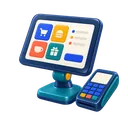 3You sell one at the counterStock drops on the store too
 4You change a priceThe store shows the new price
What it shows
Everything a customer needs to order
The store shows your logo, address and opening hours, your categories and products with photos, prices and availability, and an order button. Food editions get a menu layout with modifiers; service editions list services with durations.
QR code
Print it for tables, counters, windows and flyers.
Your look
Colours, banner and category order.
Hide items
Keep internal or in-person-only items off the store.
Your language
Product names and labels in the language you set.
When to upgrade to the managed website
Upgrade when you want your own domain, pages beyond the catalogue (your story, reviews, team, booking), or help being found on Google. The managed website is built and maintained for you; the bundle includes it with the POS and a CRM snapshot.
FAQ · 8
Online store questions
-
01Does SmartPOS come with an online store?
Yes. Every plan, including POS Essentials, includes an online store generated from your catalogue. There is no separate store fee.
-
02Do I have to build it?
No. It is generated from your products. You choose which categories and locations it shows, upload a banner and pick colours.
-
03Does stock stay in sync?
Yes. The store reads the same stock as the counter, so a sale in the shop updates what is available online.
-
04Can customers order online?
Yes, customers can browse and order for pickup or delivery depending on your settings; you see the order in the POS.
-
05Can I use my own domain?
The included store uses an address on our domain with your branding. Your own domain comes with the managed website or the bundle.
-
06Can I hide some products?
Yes. Untick "show in online store" on any product, such as internal items or services you only sell in person.
-
07Is there a QR code for my tables or window?
Yes. Print the store's QR code for tables, counters and windows.
-
08What is the difference with the managed website?
The store is a catalogue and ordering page. The managed website is a full custom site with your own pages, story, booking and search work, on your own domain.
-

No question matches that. Ask us directly and we will answer within business hours.
Ask a question
Add ten products, see your store.
Start the trial, add a few products and open your store link.